Tree :


 Faceted index, by topics :
Menu

 
Category
V5 (45)
V5.01 (21)
V5.10 (15)
V5.20 (26)
 
 How to insert these widgets?

Images
WIT Manual  - WIT : making an album
WIT Manual  - WIT : idea tree and preview area
Version 5.20
How to begin with WIT ?   - WIT organizes and publishes your personal information
A quick tour to create a Web site - Tutorial 1 : create a web site
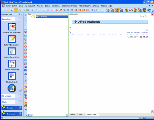
Create a document - Figure 1 : main screen organization
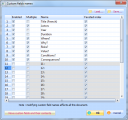
Set document parameters  - Figure 2 : custom fields
Edit idea contents - Figure 3 : idea properties dialog
Modify idea properties - Figure 5 : editing text.
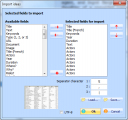
Import ideas - Figure 6 : import ideas.
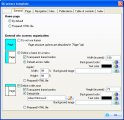
Site structure : using frames ? - Figure 7 : Web site general options (frames)
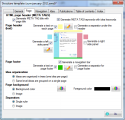
Page structure - Figure 8 : page structure options
Navigation bar structure - Figure 10 : navigation bar options
Navigation bar structure - Figure 11 : result of navigation bar customization.
Idea structure - Figure 9 : idea structure options
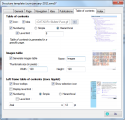
Table of contents structure - Figure 12 : table of contents options
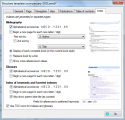
Index structure - Figure 13 : indexes options
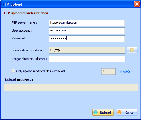
Upload the Web site on an internet server - Figure 14 : Web site upload options
CSS tutorial : WIT basics - Tutorial 2 : WIT CSS basics
CSS tutorial : WIT advanced, rounded corners - Tutorial 3 : WIT CSS Advanced
User interface - Graphical User Interface
User interface
User interface
User interface
User interface
User interface
User interface
User interface
Left side toolbar
Operations tab
Main view (idea tree) - Main view (middle tree)
Tabbed view (current idea) - Vue de droite (idée courante)
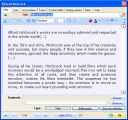
Normal view - Normal view (WYSIWYG editor)
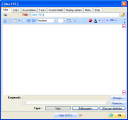
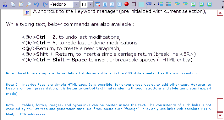
Pure HTML view  - Html syntax editor
Page preview view
Page preview view
Page preview view
Page preview view
Page preview view
Page preview view - Preview view
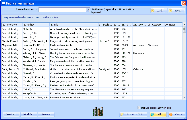
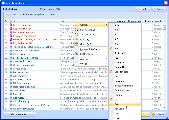
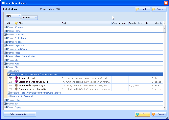
Idea selector : sorting, grouping, filtering and editing  - Idea selector
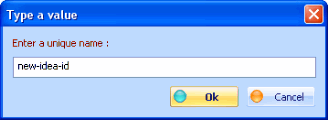
Create a child idea  - Fig 4.6 : Choice of a file name for currently created idea.
Create a child idea  - Fig 4.7 : Idea properties
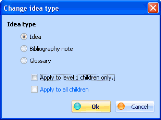
Change idea type - Fig 4.9 : Change idea type
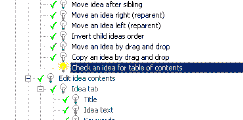
Check an idea for table of contents  - Fig 4.10 : Checking / unchecking ideas for table of contents
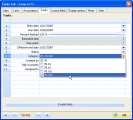
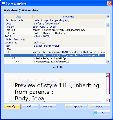
Idea contents editing  - Fig 4.11 : Properties of selected idea.
Idea tab - Fig 4.12 : Idea tab.
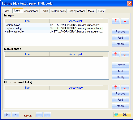
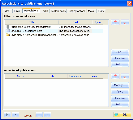
Links tab - Fig. 4.14 : Images, documents and external references
URLs
Associations tab - Fig 4.16 : Associations to ideas and books.
Associations to other ideas - Fig 4.17 : Idea selection
Associations to publications (books) - Fig 4.18 : Book selection
Tasks tab  - Tasks tab
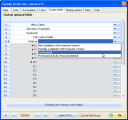
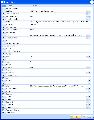
Custom fields tab  - Fig 4.15 : Custom fields
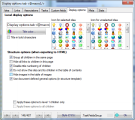
Display options tab - Fig 4.19 : Display options
Meta tab - Meta tab
Stats tab  - Onglet Stats
Editing idea text : WYSIWYG editor
Editing idea text : WYSIWYG editor  - WYSIWYG editor
Editing idea text : WYSIWYG editor
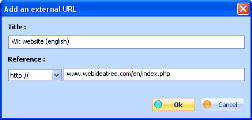
Insert a link to an external URL
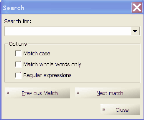
Editing idea text : pure HTML code  - Search dialog
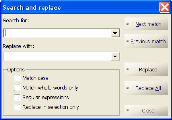
Editing idea text : pure HTML code  - Replace dialog
Editing idea text : pure HTML code  - Html syntax editor
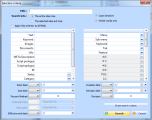
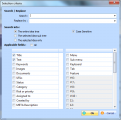
Selection criteria  - Fig 4.21 : selection criteria
Idea selector  - Fig 4.20 : Idea selector
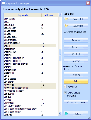
Selecting displayed attributes, columns size and order - Choice of columns
Sorting and grouping - Grouping ideas on attributes values
Search & Replace  - Search / replace
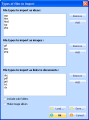
Import ideas from CSV file  - Fig 4.8 : Import ideas from a delimited record file.
Import folders - Import folders
Keywords  - Fig. 4.13 : Keywords manager
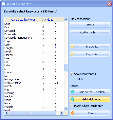
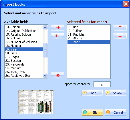
Collect words automatically - Fig 4.9b. Automatically build a list of keywords
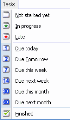
Tasks - Tasks management menu
Publications manager - Fig 4.22 : Book manager
Create a publication - Fig 4.23 : Edit a book
Modify a publication - Book editor
Import a list from a CSV text file. - Fig 4.24 : Import a list of publications
Import a list from a tagged text file.  - Configure the tagged import format : map fields to WIT default bibliographic fields
General options tab (web site) - Fig 4.25 : Site general structure options
Page tab - Fig 4.26 : Structure template, page tab
Navigation tab  - Fig 4.27 : Structure template,  Navigation tab
Idea tab  - Fig 4.28 : Structure template, idea tab
Table of contents tab
Index tab  - Index tab
Other structural elements : Widgets
Modify current style template (expert mode) - Fig 4.29 : CSS style template
Modify current style template (expert mode) - Fid 4.30 : CSS properties editing
Hierarchy and inheritance principles - Fig 4.31 : Style classes indentation (inheritage)
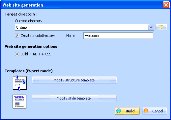
Automatic Web site generation - Fig 4.1 : Build Web site(export)
Upload on a Web server by FTP - Fig 4.2 : FTP transfer options.
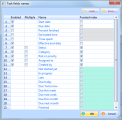
Custom fields options  - Figure 4.3 : Enabling and naming custom fields
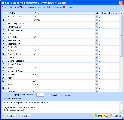
Task fields options  - Enabling task fields
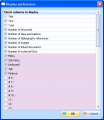
Main view columns choice - Fig 4.4 : Displayed columns choice in the main view
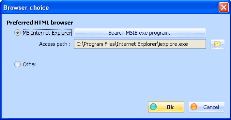
Default navigator choice - Fig 4.5. Choice of default navigator